


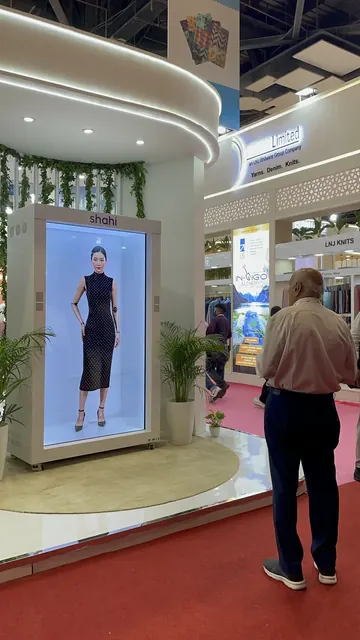
Run every HoloBox from your phone, without an agency on call.
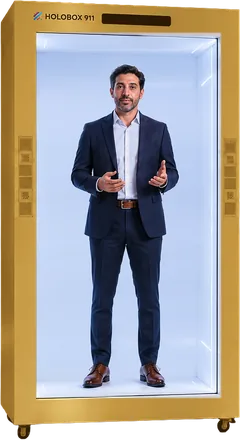
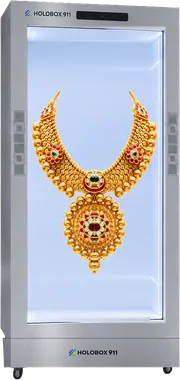
HoloBox OS is our own software. It runs on the HoloBox911 and is controlled from a phone app your team already knows how to use. Play films, put a leader on the glass live, switch on an AI avatar or greet visitors by name, all from the same screen.
Built by the team that delivered HoloBox911 for Race Eco Chain, NatWest Group, Maruti Suzuki, Anaptyss and Capgemini. ISO 9001 and ISO 27001 certified company; CE certified product.
- ISO 9001
- ISO 27001
- CE certified
- Made in India
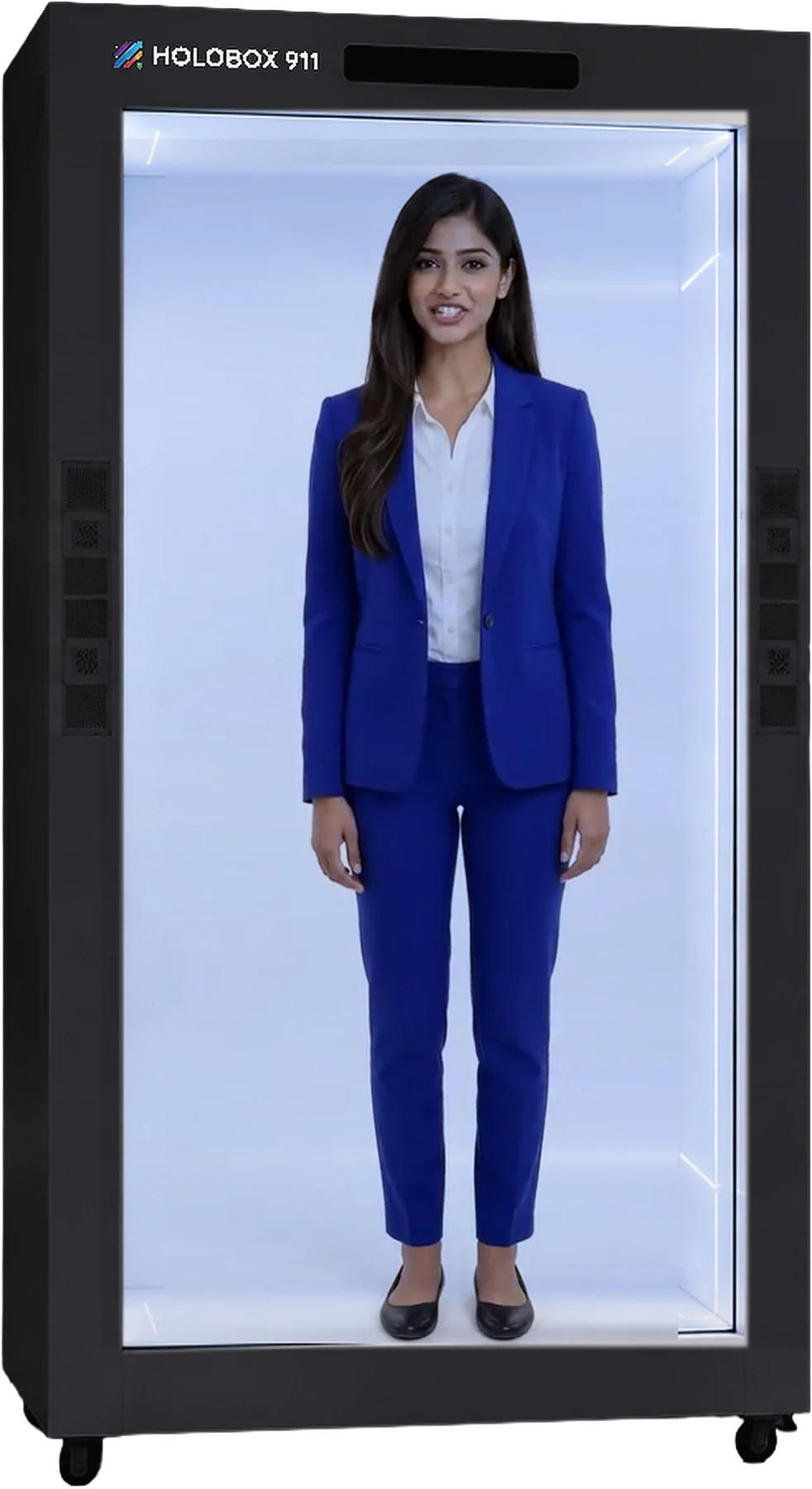
HoloBox OS is the software that runs a HoloBox911 hologram display, with a phone app to control it. Pair your phone once with the code on the glass. From the app you play videos, put a live presenter on the HoloBox, run AI avatars that answer from your documents, set up touch kiosks and greet registered visitors by name.












What teams run on it.
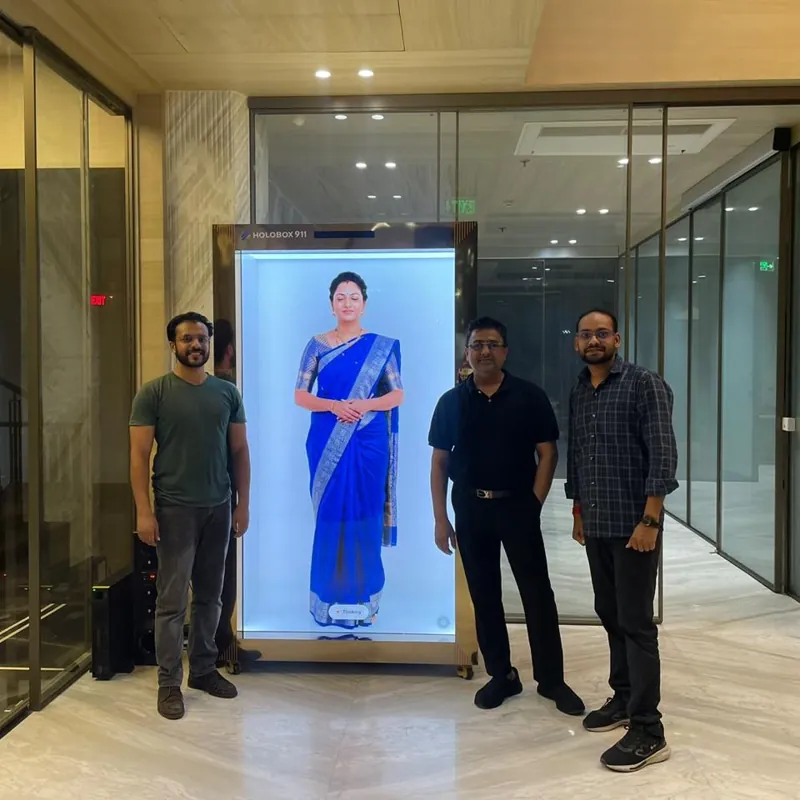
Greet visitors by name
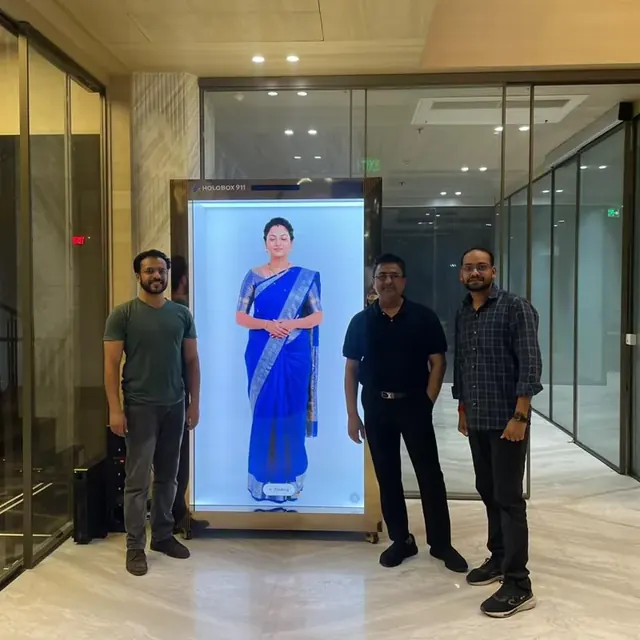
At Race Eco Chain, visitors register once at the gate, their host gets an email, and Maya greets them by name in the lounge.
See the project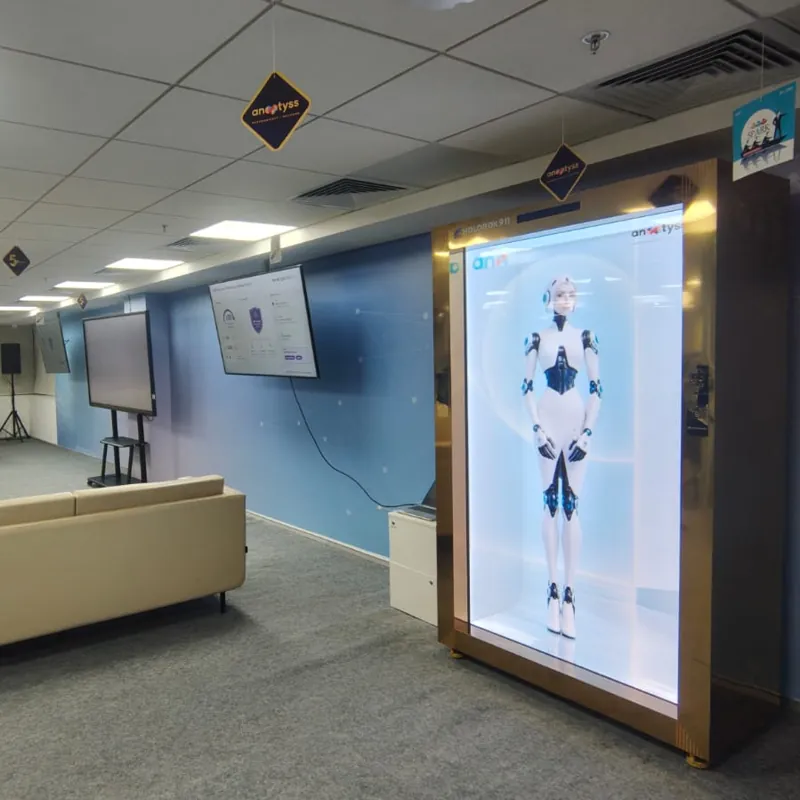
A touch guide visitors explore alone
At Anaptyss's Gurgaon office, visitors tap one of ten questions on the glass and a life-size avatar answers in Anaptyss's own words.
See the project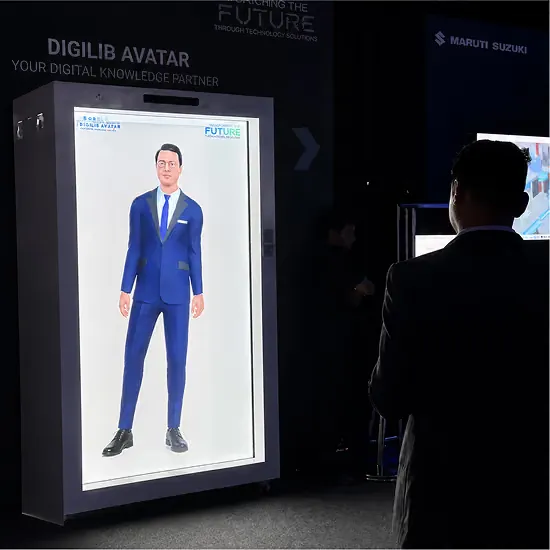
Answers from private documents
At Maruti Suzuki's vendor conference, an avatar trained on-premise answered from 750+ project records, and nothing left the building.
See the project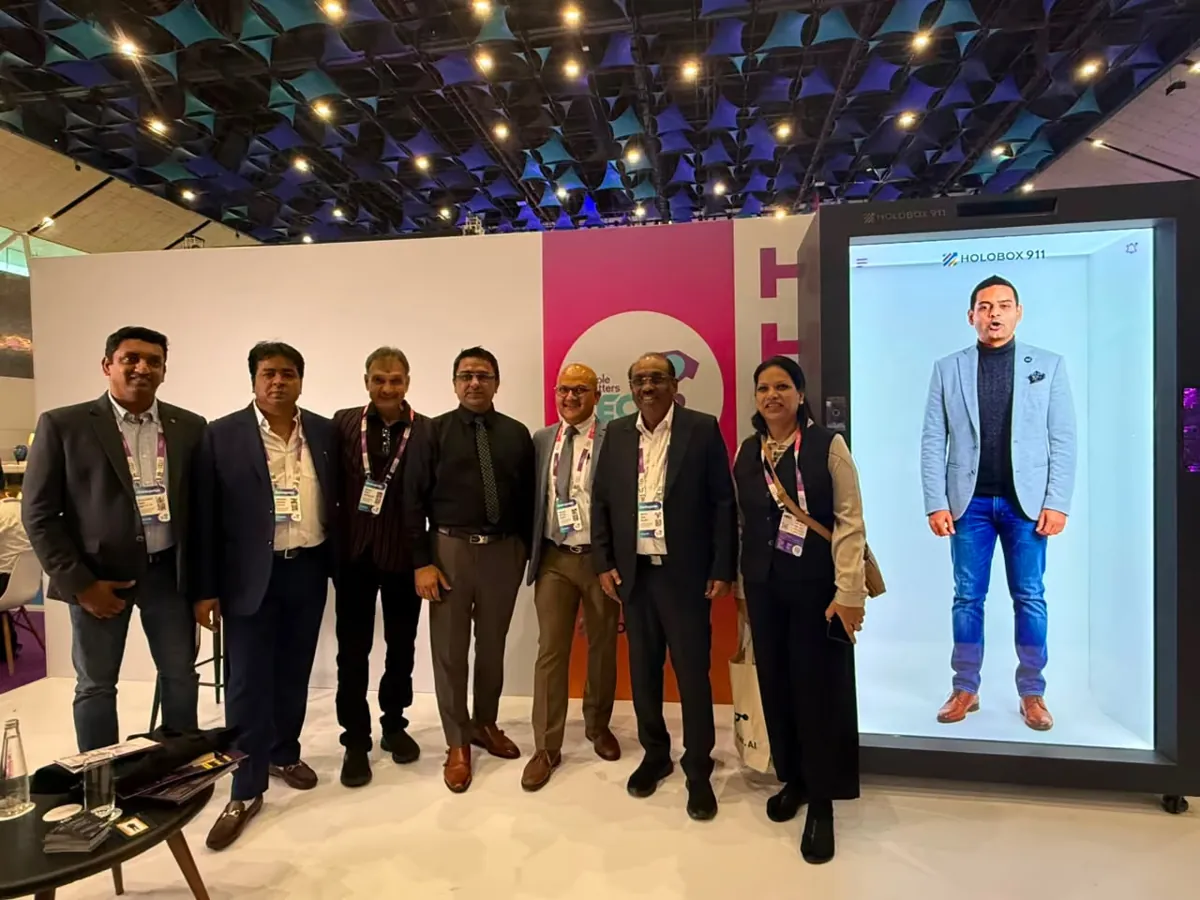
A presenter who is somewhere else
At TechHR India '26, a speaker in another city appeared life-size with two-way audio, on the same unit that ran AI avatars.
See the projectFrom pairing to running it daily.
Pair it once
Open the app and type the code shown on the HoloBox glass, or point your phone at it. The box shows "Paired" and is ready.
Load your content
Upload films and images you already have, build a video in the app, or ask our studio. Content made for a client usually takes 2 to 4 weeks.
Choose the job
Switch on a kiosk, an AI avatar, a visitor greeting, a game or a live presenter, and pick which HoloBox it appears on.
Run it and keep an eye on it
Watch any box live from the app, check what AI services have billed, and call our support line if anything needs a hand. If the support line has not answered within 1 working day, the Head of Sales steps in.
Done here, for brands you know.
Event video
AI receptionist
Race Eco Chain
Race Eco Chain wanted a reception that felt like the company: modern, warm and attentive. It also had to be practical. Hosts needed to know the moment a guest arrived, and visitors shouldn't have to explain who they are twice.
Watch and read Event video
AI avatar
Anaptyss
Anaptyss builds AI-native platforms for banks and regulated enterprises. ANA, its control assurance platform, runs walkthroughs, tests control design and effectiveness, and drafts audit-ready reports, with people reviewing every result.
Watch and readSee it in the room.
Maya greets registered visitors by name, run from the HoloBox OS app. Read the case study
Two sizes, one standard.
7-foot HoloBox911
- Panel
- 86-inch transparent 4K
- Size
- 213 x 128.2 x 60 cm
- Weight
- 220 kg
- Touch
- 10-point infrared
- Power
- AC 100–240 V, 700 W full load
6-foot HoloBox911
- Panel
- 65-inch transparent 4K
- Height
- 167.64 cm plus a 6-inch podium
- Footprint
- 93.45 x 60 cm
- Weight
- 120 to 145 kg
- Best for
- Rooms with lower ceilings
Four finishes: Aurum Gold, Brushed Silver, Midnight Black and Studio White. ISO 9001 and ISO 27001 certified company; the display is CE certified. Full specifications
Want to try the app before you decide?
Book a demo at our Noida or Thane Display Centre, or ask for a video call. We pair a HoloBox with your phone and you run it yourself. We reply within one working day.
One app on your phone, one screen on the glass
HoloBox OS has two parts. The HoloBox runs the display side: what visitors see and touch on the glass. Your phone runs the control side: what plays, who appears and which avatar answers.
You pair them once. The HoloBox shows a short code on its glass. Type it into the app, or scan it, and the box is yours to control. Every module asks which HoloBox it should appear on.
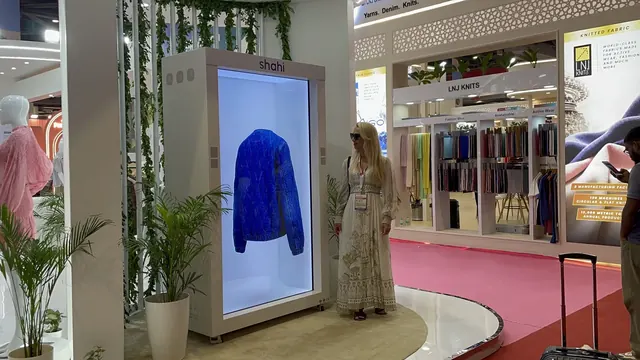
We wrote it ourselves, so it fits the hardware. The 7-foot HoloBox911 has an 86-inch transparent 4K panel and 10-point infrared touch. The app is built around that: touch guides for the glass, life-size presenters and avatars that stand at human height.
You do not need a computer at the venue. You do not need to call us to change what plays. If you would rather use your own player, the 7-foot unit also takes HDMI, USB and SD card, and plays from a media server.
Every module, in plain words
These are the main modules, as they are named in the app.
| Module | What it does for you |
|---|---|
| Pair a HoloBox | Connects your phone to a HoloBox. Type the code on the glass, or scan it. |
| Gate tablet | Visitors register at the entrance: name, company, who they are meeting, and one photo. Their host gets an email straight away. |
| Gallery | Everything you have made in one place: videos, avatars, product ads and try-on pictures. |
| Videos | Play a video, upload one you already have, or create a new one. To create one, write or speak a script, pick an avatar and a voice, and the app builds it. Unfinished videos wait in Drafts. |
| Holoportation | You appear live on the HoloBox from your phone's camera. People at the box talk with you. Guests can join from a link or QR code. |
| Go Live | Broadcast yourself to a HoloBox straight from your phone. Nothing is recorded and nothing is stored. You can also join a meeting. |
| AI Conversations | A visitor talks to an AI avatar on the HoloBox. It answers from the documents you gave it for that subject, and says so when they do not cover the question. Agents can be grouped by department, such as HR or Finance. |
| Conversation Avatars | The avatars visitors talk to, kept in folders. Each has a description of its job, and you choose the AI model behind it, including one that runs on the device. |
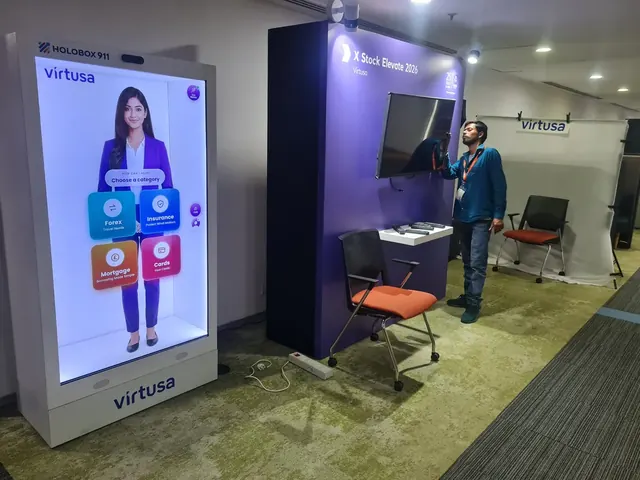
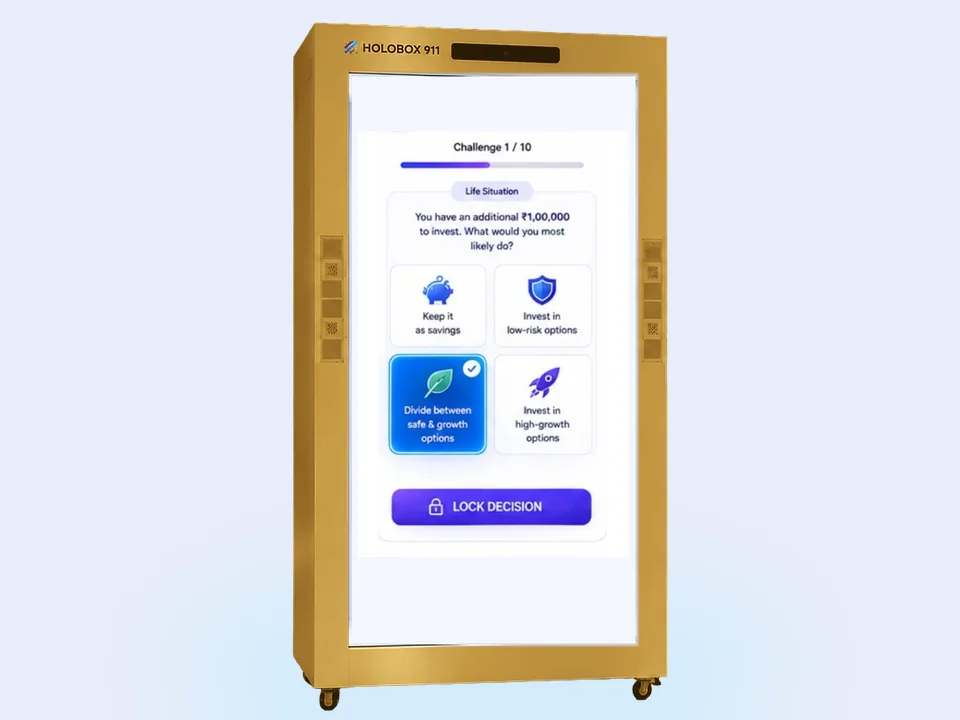
| Kiosk | A touch-screen guide on the glass. Visitors tap through its welcome, its questions and its answers. Tap a kiosk in the app to put it on the HoloBox. |
| Visitors | The list of people who registered at the gate. When one of them walks up to the HoloBox, the avatar you choose greets them by name. |
| Product Ads | Make product ads for the HoloBox: customer-style (UGC) ads, a 3D model turning, the product taken apart part by part, or a presenter with your product. |
| Logo | Shows your logo on the HoloBox over 3D models and at the Try-On Booth. Choose the corner and the size. It is drawn on the HoloBox only, not added to your video files. |
| Sequences | Pick clips from anywhere and the HoloBox plays them in order, as one show. |
| Try-On Booth | Photograph a customer with a tablet, and show them on the HoloBox wearing any piece from your catalogue. |
| Live Try-On | The customer stands in front of the tablet and sees themselves live on the HoloBox, wearing pieces in 3D, whole sets at once. |
| Try-On Gallery | Every customer's try-on pictures in one place. |
| Box Camera | See and hear what is around any of your HoloBoxes, live. Nothing is recorded, the HoloBox shows "Camera and microphone on" while you watch, and each time is logged. |
| Games | Visitors play on the HoloBox from their own phones, by scanning the code on the glass or opening a link. |
| Settings | Your logo, your brand guidelines and all your HoloBoxes, in one place. |
Make your own content, without waiting for an agency
Most screens go stale because changing them needs a supplier. HoloBox OS lets your own team make and change content.
Videos turns a script into a presenter video. Write the script or speak it, choose an avatar and a voice, add a short brief, and the app builds it. You preview it before it goes on the glass. Your text saves as you type, so you can stop and come back later.
Product Ads makes short product films sized for the HoloBox. Use a 3D turn for a product people need to see from every side. Use the exploded view when the inside is the selling point.
Sequences strings clips into one show, so a stand can run a welcome, a product film and an ad on loop. Logo keeps your brand on the glass in the corner you choose.
When a job needs more than the app, our XR Design Centre in Noida makes it: filmed leaders, 3D products, AI avatars and games. Content made for a client usually takes 2 to 4 weeks. See the hologram content studio.
A presenter on the glass, live, from anywhere
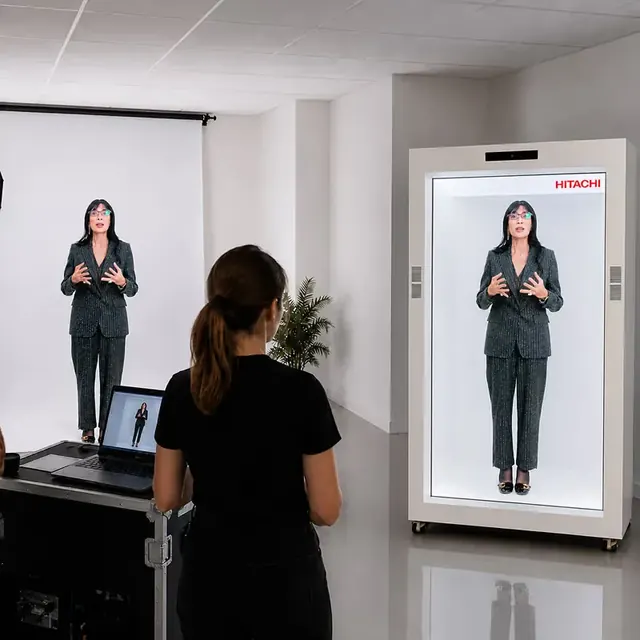
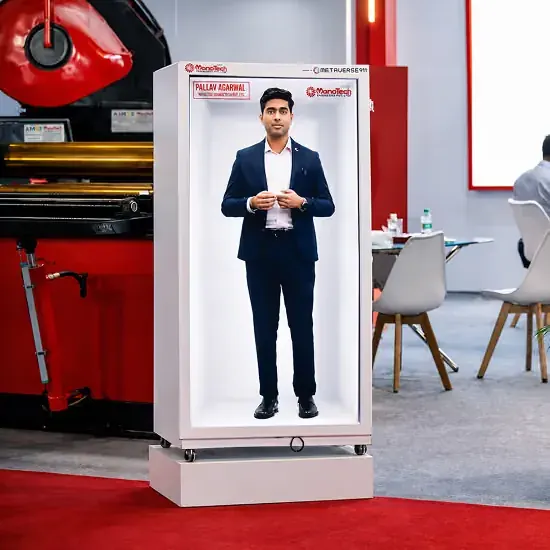
Holoportation puts a person on the HoloBox from their phone camera. They see and hear the room, and the room talks back. Guests can join from a link or a QR code.
Go Live is the quick version: one person broadcasts from their phone to the HoloBox, and nothing is recorded or stored.
For a keynote, plan the link properly. A smartphone on a tripod can be the camera. The sending end needs a 100 Mbps uplink. The delay is about 0.4 seconds or less, and we provide two lines, a primary and a backup. Hitachi used HoloBox911 telepresence to put a Tokyo executive on a New Delhi stage, with zero flights.
AI avatars that stay on message
AI Conversations lets a visitor talk to a life-size avatar. Each avatar answers from the documents you give it first. When those documents do not cover a question, it says so instead of guessing.
Conversation Avatars holds the avatars themselves. Give each one a job, such as reception, HR questions or a product expert. Group them in folders, so one HoloBox can offer a different avatar for each department.
The AI can run on-premise and offline, with models trained on-premise. At Maruti Suzuki's vendor conference at Bharat Mandapam, delivered with Yazaki, an avatar answered from more than 750 project records and nothing left Maruti Suzuki's infrastructure. AI avatars can also capture visitor details and leads.
Avatars speak English, Hindi, Marathi and Bengali. For UK work they also speak Welsh, Polish, Urdu, Punjabi, French, German and more.
Reception that knows who is coming
Three modules work together at a front desk. The Gate tablet registers the visitor and emails their host. Visitors keeps the day's list. When a registered visitor walks up, the avatar you chose greets them by name.
Race Eco Chain runs this in its reception today. Maya, its life-size AI receptionist, greets registered visitors by name and tells them their host knows they are here. Behind her sit three apps we built: the HoloBox itself, a phone app staff use as the remote and back office, and the gate tablet. They run on Race's own server.
Privacy is built in. At Race, faces are turned into numbers on the device and no video is recorded or stored. Gate photos and the visitor log delete themselves after 30 days by default. Anyone Maya cannot match with confidence gets a general welcome, never the wrong name.
Touch guides, games and try-on for the shop floor
A Kiosk turns the glass into a guide visitors explore alone: a welcome, a set of questions, an answer for each. Anaptyss used this pattern in its Gurgaon office, with ten touch questions answered by a life-size avatar.
Games lets visitors play on the HoloBox from their own phones. Our studio also builds gesture-based games that visitors play with a wave of the hand.
For jewellery and fashion, Try-On Booth and Live Try-On show a customer wearing your pieces on a life-size display. Every try-on picture lands in the Try-On Gallery.
You can see what every box is doing
Box Camera lets you watch and listen to any of your HoloBoxes, live. The HoloBox shows a clear notice while you do, nothing is recorded, and each viewing is logged.
Handover, training and support
When you buy a HoloBox911, the handover covers delivery, installation and commissioning, training with a sign-off, a user and care guide, a quick start and content guide, a warranty certificate, and support and escalation contacts.
At Race Eco Chain we handed over a full user guide covering every screen of the three apps, and trained the team in the lobby, on the unit itself.
HoloBox911 is an ISO 9001 and ISO 27001 certified company, and the product is CE certified.
Still weighing the options?
Hologram display or LED wall?
When a life-size person beats a big screen, and when it does not.
Read the guideHologram fan or life-size display?
Spinning LED fans against a transparent 4K panel with touch.
Read the guideProjector or hologram display?
Why a lit exhibition hall rules most projection setups out.
Read the guideRent or buy?
One event, a season of shows, or a permanent installation.
Read the guideQuestions, answered.
Does a HoloBox911 come with its own software?
Yes. HoloBox911 runs HoloBox OS, our own software, with a phone app to control it. At Race Eco Chain we built three apps for the reception: the HoloBox itself, a phone app staff use as the remote and back office, and a gate tablet. You do not need a separate player, agency or content management system to change what plays.
How do I connect my phone to the HoloBox?
Pair it once with the code on the glass. Open the app, choose Pair a HoloBox, then type the short code shown on the HoloBox or point your phone at it. The box confirms it is paired. After that, every module asks which HoloBox to use. The 7-foot unit also takes HDMI, USB and SD card if you prefer your own player.
Can our own team make new content in the app?
Yes, for presenter videos, product ads and playlists. In Videos, write or speak a script, pick an avatar and a voice, and the app builds the video. Product Ads makes 3D turns, exploded views and presenter ads. For filmed leaders, 3D products or games, our studio usually takes 2 to 4 weeks.
Can the HoloBox greet visitors by name?
Yes. Visitors register once on the gate tablet, and the avatar greets them by name at the HoloBox. At Race Eco Chain, the host gets an email as soon as the visitor registers, and Maya greets them in the lounge. Gate photos and the visitor log delete themselves after 30 days by default, and no video is recorded.
Will the AI avatar make up answers?
It answers from the documents you give it, and says so when they do not cover the question. At Maruti Suzuki's vendor conference, the avatar answered from more than 750 sanctioned project records only, with no external API. You choose the documents for each avatar, so an HR avatar and a product avatar stay on their own subjects.
Can HoloBox OS run without the internet?
The AI can run on-premise and offline, with models trained on-premise. At Race Eco Chain, the three apps run on Race's own server. At Maruti Suzuki's vendor conference, delivered with Yazaki, nothing left Maruti Suzuki's infrastructure. Live features such as Holoportation need a connection: the sending end needs a 100 Mbps uplink.
How does a presenter appear live on the HoloBox?
Through Holoportation or Go Live, from a phone camera. The presenter appears life-size on the glass and talks with the room. The delay is about 0.4 seconds or less, and we provide a primary and a backup line for events.
Does the HoloBox camera record people?
No. Box Camera and Go Live record nothing and store nothing. When someone watches a HoloBox through Box Camera, the box shows "Camera and microphone on", and each viewing is logged. At Race Eco Chain, faces are turned into numbers on the device. HoloBox911 is an ISO 27001 certified company.
Do we get training on the app?
Yes. A purchase includes training with a sign-off, a user and care guide, and a quick start and content guide. At Race Eco Chain we handed over a full user guide covering every screen of the three apps, and trained the team on the unit in their lobby. Support contacts and an escalation path come with it.
Last reviewed 5 November 2026.
Tell us what it should show.
Send the date, the audience and the message. We reply within one working day.